Settings Menu#
NinjinTooltip includes an in-game settings menu that allows you to customize which stats are displayed in tooltips without editing configuration files.
Accessing the Menu#
The Tooltip Settings menu can be accessed through the game's input system. By default, you can open it using the keybinding configured in the mod's input settings.
- Open your DayZ game
- Go to Options → Controls → Customize Controls
- Look for "Tooltip Settings" in the "NinjinsMods" category
- Assign a keybinding (or use the default if already set)
- Press the assigned key in-game to open the settings menu
Menu Overview#
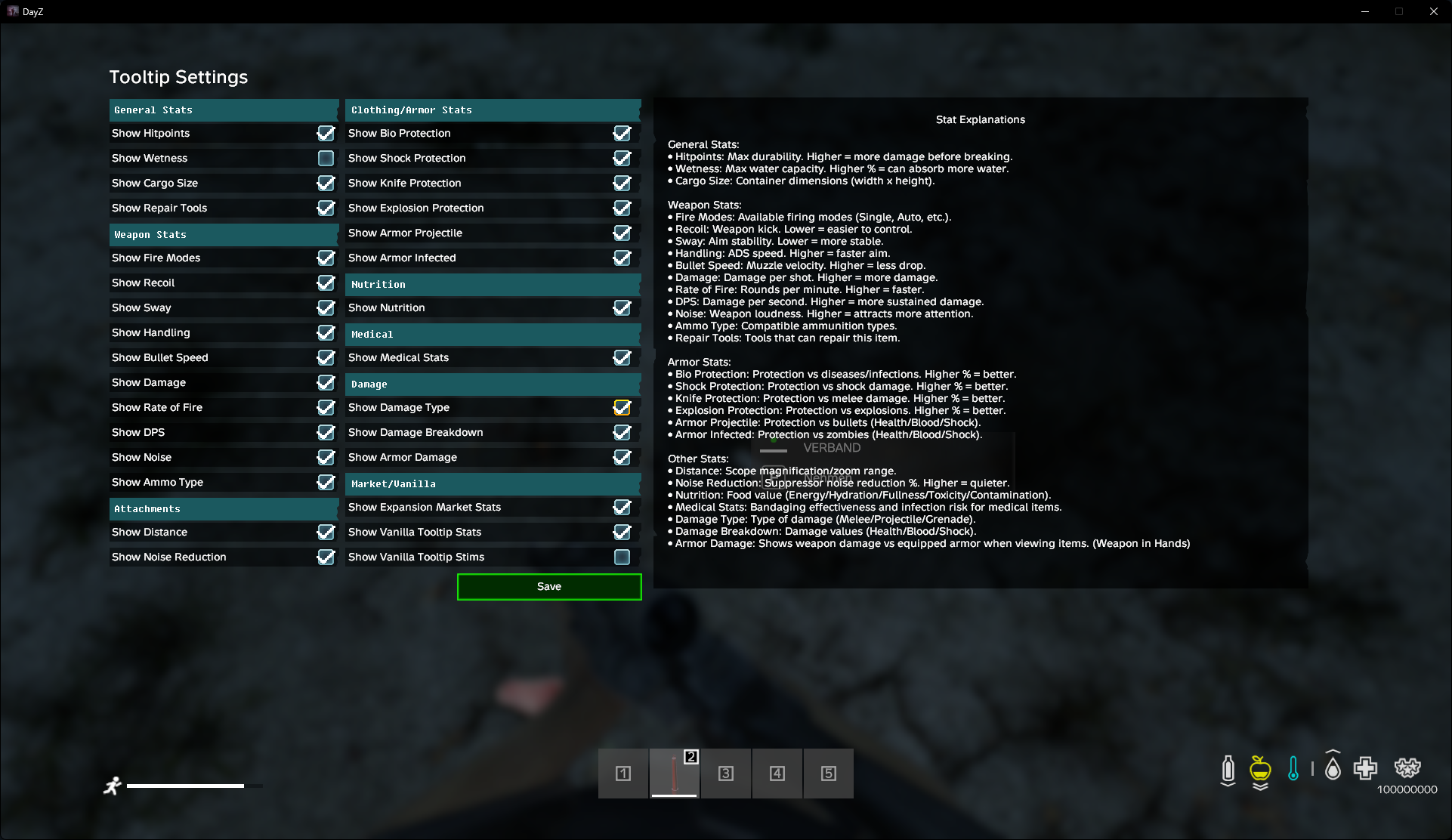
The settings menu provides a user-friendly interface to toggle various tooltip statistics on and off:
Available Settings#
General Stats#
- Show Hitpoints - Display item durability/hitpoints
- Show Wetness - Display wetness resistance
- Show Cargo Size - Display container dimensions
Weapon Stats#
- Show Fire Modes - Display available fire modes
- Show Recoil - Display recoil statistics
- Show Sway - Display weapon sway values
- Show Handling - Display handling/ADS modifier
- Show Bullet Speed - Display calculated bullet velocity
- Show Damage - Display weapon damage
- Show Rate of Fire - Display RPM (rounds per minute)
- Show DPS - Display damage per second
- Show Noise - Display noise level (with suppressor modifiers)
- Show Ammo Type - Display compatible ammunition
Armor Stats#
- Show Bio Protection - Display biological protection
- Show Shock Protection - Display shock damage reduction
- Show Knife Protection - Display melee protection
- Show Explosion Protection - Display explosion damage reduction
- Show Armor Projectile - Display projectile protection (Health/Blood/Shock breakdown)
- Show Armor Infected - Display infected damage protection
- Show Armor Damage - Display weapon vs armor damage calculations
Food Stats#
- Show Nutrition - Display nutritional information (energy, hydration, fullness, etc.)
Medical Stats#
- Show Medical Stats - Display bandaging effectiveness, infection risk, and stim effects
Other Settings#
- Show Repair Tools - Display compatible repair kits in tooltips and Advanced Stats Menu (opened with the hotkey assigned in DayZ Hotkeys → NinjinsMods → Advanced Stats Menu)
- Show Distance - Display optics distance settings
- Show Noise Reduction - Display suppressor noise reduction percentage
- Show Damage Type - Display damage type (Melee, Projectile, etc.)
- Show Damage Breakdown - Display Health/Blood/Shock damage breakdown
Advanced Stats Menu#
In addition to the regular tooltip, you can open the Advanced Stats Menu using the hotkey assigned in DayZ Hotkeys → NinjinsMods → Advanced Stats Menu on any item. This menu displays comprehensive statistics including repair kits (when enabled).
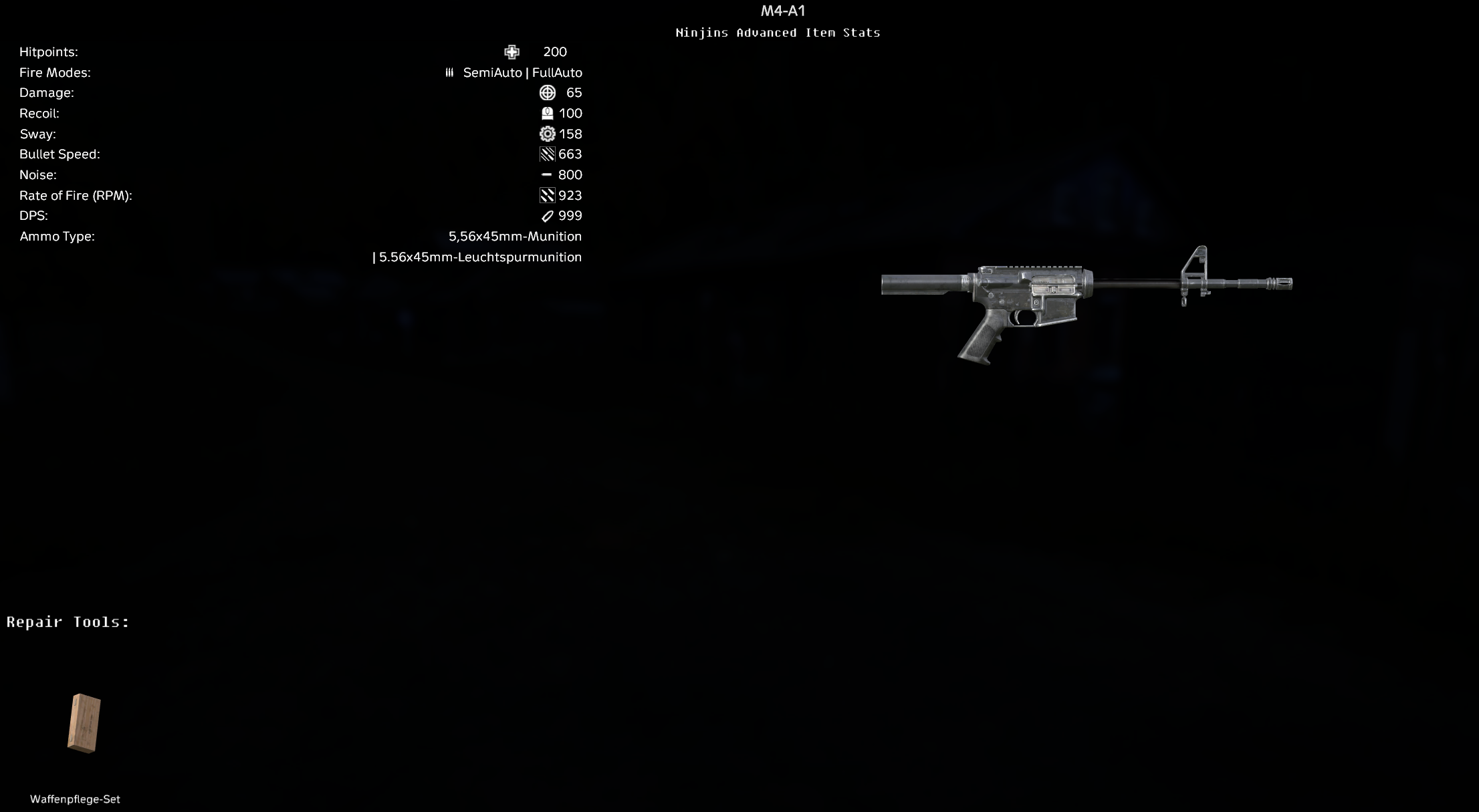
Weapon Stats & Repair Tools
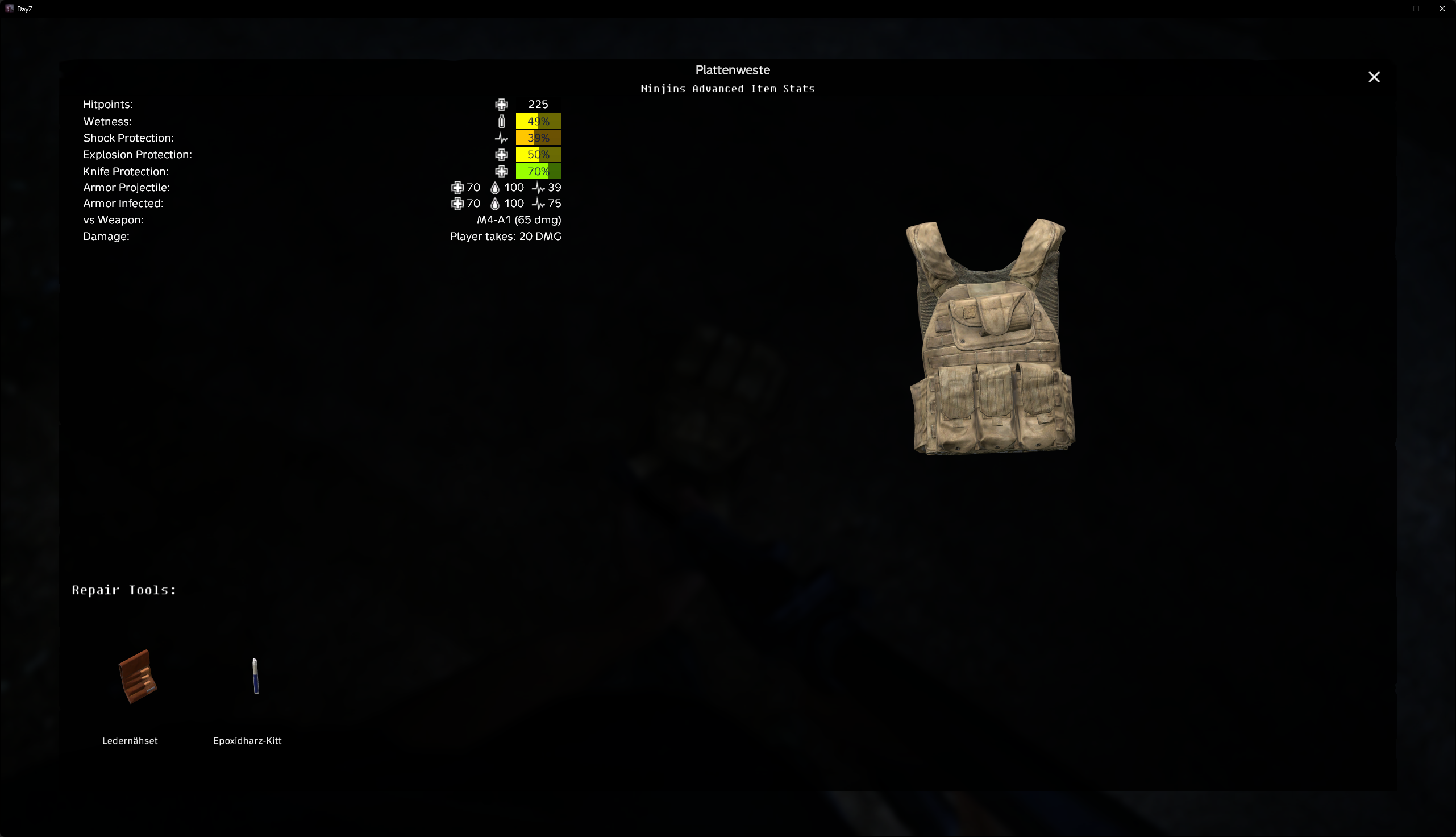
Armor Stats & Repair Kits
Saving Settings#
All changes made in the settings menu are automatically saved to your TooltipConfig.json file located at:
%LOCALAPPDATA%\DayZ\NinjinTooltip\Config\TooltipConfig.jsonNote: This is a client-side config file stored on your local machine. Each player has their own configuration.
The settings are saved immediately when you toggle any option, so you don't need to manually save anything.
Config File Sync#
The in-game menu and the configuration file are fully synchronized. You can:
- Edit the config file manually and the changes will appear in-game
- Change settings in-game and they will be written to the config file
- Use either method - both work seamlessly together
Note: If you edit the config file while the game is running, you may need to restart the game or reload the config for changes to take effect.