Frequently Asked Questions#
Installation#
How do I install NinjinTooltip?#
Subscribe to the mod on Steam Workshop and ensure it's enabled in your DayZ launcher. The mod is client-side only, so server admins don't need to install it.
Do servers need to install this mod?#
No, NinjinTooltip is a client-side only mod. Players install it individually on their local machines, and it will work on any server without server-side installation. The configuration file is stored on each player's local machine at %LOCALAPPDATA%\DayZ\NinjinTooltip\Config\TooltipConfig.json.
Configuration Questions#
Where is the config file located?#
The config file is located at %LOCALAPPDATA%\DayZ\NinjinTooltip\Config\TooltipConfig.json on Windows. This is a client-side file stored on each player's local machine.
Quick access: Press Win+R, type %LOCALAPPDATA%\DayZ, and press Enter to open the DayZ folder.
How do I open the settings menu?#
Go to Options → Controls → Customize Controls and look for "Tooltip Settings" in the "NinjinsMods" category. Assign a keybinding and press it in-game to open the menu.
Do changes in the settings menu save automatically?#
Yes, all changes are saved immediately to the config file when you toggle any option.
Statistics Questions#
Why don't I see weapon damage?#
Weapon damage requires the weapon to have loaded ammunition. Make sure the weapon has ammo in its chamber or magazine for damage to be calculated and displayed.
Why is DPS not showing?#
DPS (Damage Per Second) requires both damage and rate of fire to be calculated. Ensure the weapon has ammunition loaded and that both ShowDamage and ShowRateOfFire are enabled.
How accurate are the damage calculations?#
The damage calculations are based on game config values and formulas. They provide a good estimate, but actual in-game damage can vary due to factors like range, armor, body part hit, and other game mechanics.
How do I open the Advanced Stats Menu?#
Use the hotkey assigned in DayZ Hotkeys → NinjinsMods → Advanced Stats Menu on any item in your inventory, vicinity, or containers to open the Advanced Stats Menu. This menu displays comprehensive information including:
- All detailed statistics
- Compatible repair kits (when
ShowRepairToolsis enabled) - Extended damage calculations
- Additional item information
The Advanced Stats Menu works on items in your inventory, vicinity, containers, and attachments.
Example: Weapon Stats
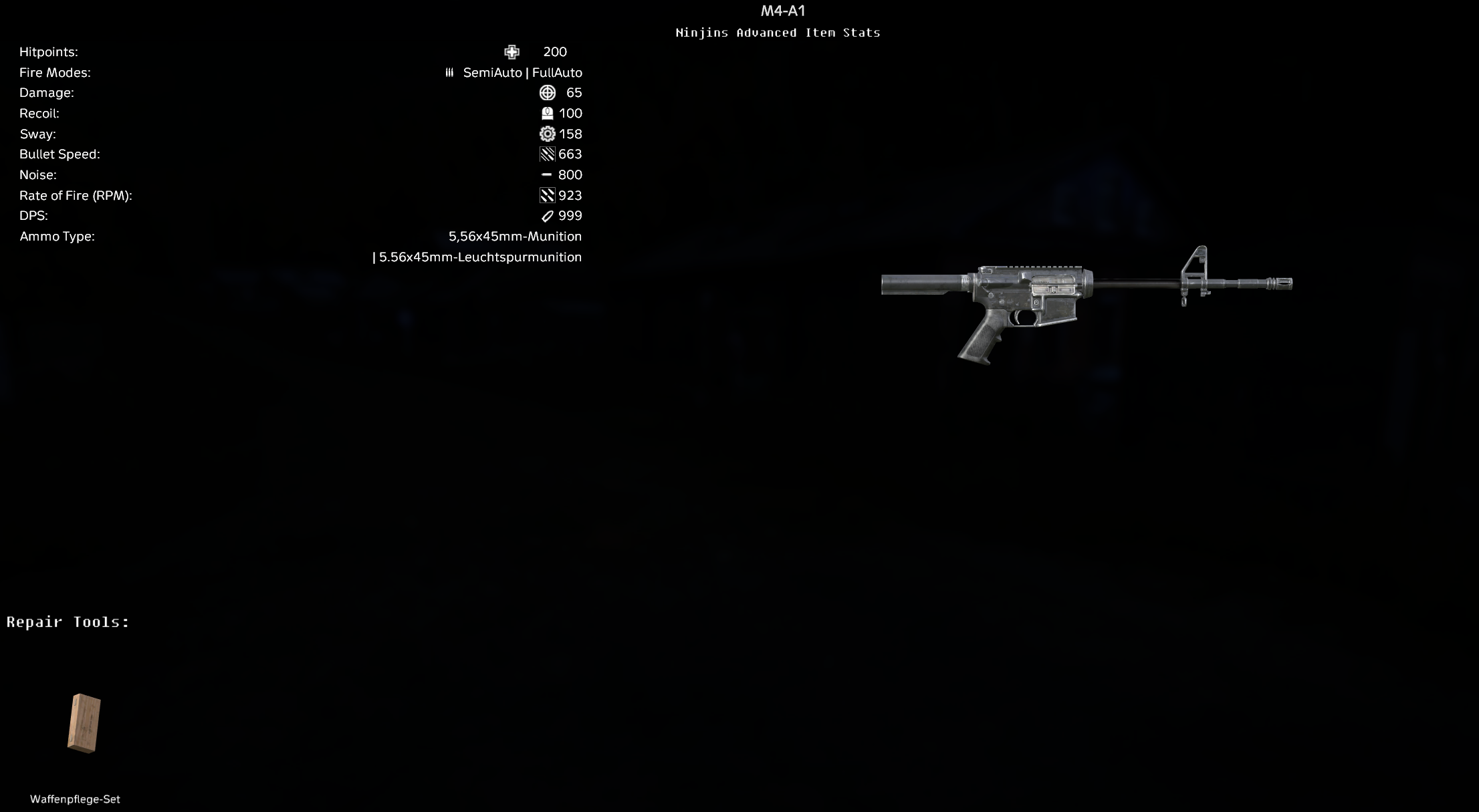
Advanced Stats Menu for M4-A1 showing weapon stats and compatible repair tools
Example: Armor Stats
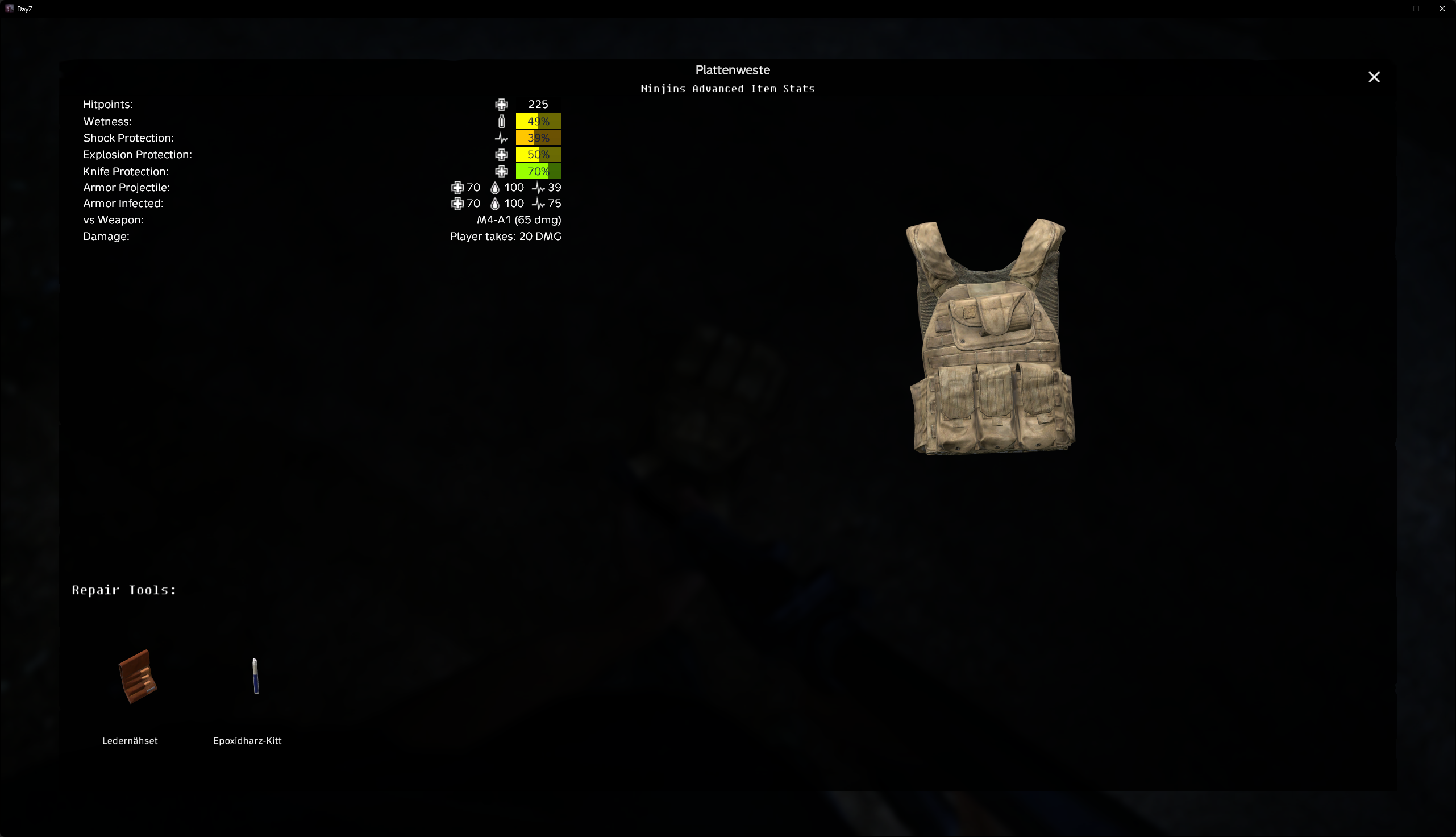
Advanced Stats Menu for Plate Carrier showing armor protection values and compatible repair kits
Why don't I see armor vs weapon damage?#
Armor vs weapon damage requires:
- Viewing armor while holding a weapon (or vice versa)
ShowArmorDamageenabled in config- Valid armor protection values
- Valid weapon damage calculation
Compatibility Questions#
Does this work with Expansion Market?#
Yes, NinjinTooltip includes integration with Expansion Market and will display stats in market tooltips if ShowMarketStats is enabled.
Does this work with Customisable Stims?#
Yes, NinjinTooltip fully supports Customisable Stims and will display all stim effects, cures, and special properties if the mod is installed and configured.
Does this conflict with other tooltip mods?#
NinjinTooltip modifies the vanilla tooltip system. It may conflict with other mods that heavily modify tooltips. You can disable vanilla tooltip stats using ShowVanillaTooltipStats and ShowVanillaTooltipStims if needed.
Troubleshooting#
Stats are not showing#
Check the following:
- Ensure the mod is properly installed and enabled
- Check that the relevant stat option is enabled in
TooltipConfig.json - Verify the item actually has the stat (not all items show all stats)
- For weapons: ensure ammunition is loaded
- Restart the game if you edited the config file manually
Config file not found#
The config file is created automatically when you first run the mod. If it doesn't exist:
- Launch DayZ with the mod enabled
- The mod will create the directory and config file automatically on your local machine
- Check
%LOCALAPPDATA%\DayZ\NinjinTooltip\Config\TooltipConfig.json - Navigate to:
C:\Users\YourName\AppData\Local\DayZ\NinjinTooltip\Config\
JSON syntax errors#
If you get JSON errors:
- Use a JSON validator to check your syntax
- Ensure all property names are in double quotes
- Check for missing commas between properties
- Remove trailing commas after the last property
- Ensure all opening braces have matching closing braces
You can use online JSON validators or the in-game settings menu to avoid syntax errors.
Settings menu not opening#
If the settings menu doesn't open:
- Check that you've assigned a keybinding in Controls
- Look for "Tooltip Settings" in the "NinjinsMods" category
- Try restarting the game
- Check that the mod is properly loaded (check mod list in launcher)
Performance#
Does this mod affect performance?#
NinjinTooltip has minimal performance impact. The calculations are performed only when you hover over items. If you experience performance issues, you can disable complex calculations like DPS and armor damage calculations in the config.
How to improve performance?#
Disable stats you don't need:
- Set
ShowDPStofalse - Set
ShowArmorDamagetofalse - Disable stats for item types you rarely check
Other Questions#
Where can I get support?#
For support, bug reports, or feature requests:
- Check this FAQ first
- Visit the Steam Workshop page
- Check the GitHub repository
- Join the Discord community